

.png)
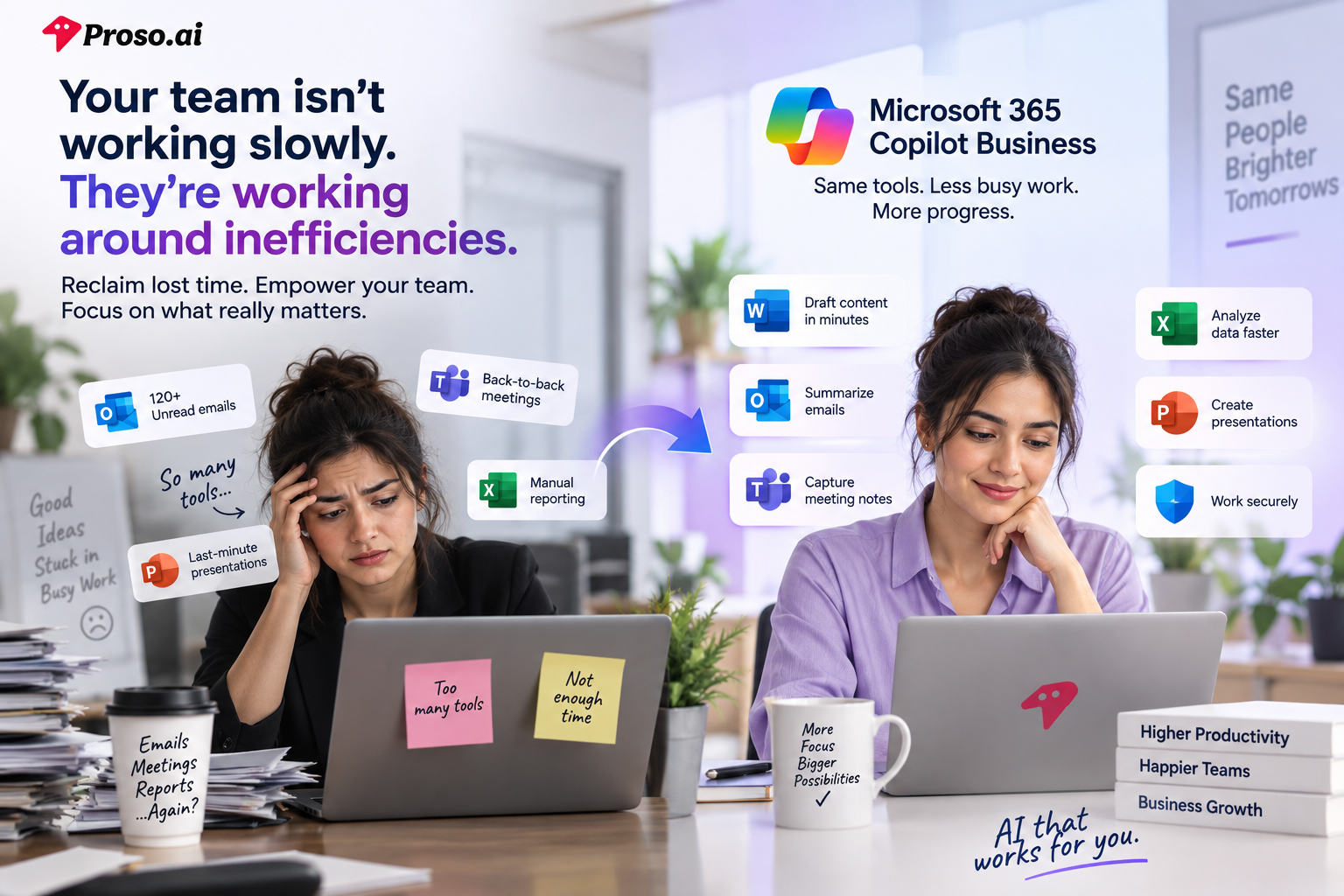
Your team isn't working slowly.
They're working around inefficiencies.
Every day, employees jump between emails, meetings, spreadsheets, chat messages, and documents just to complete routine tasks. A sales manager spends hours preparing proposals. Operations teams manually compile reports. Leaders sit through meetings only to spend more time summarizing what happened afterward.
For small and mid-sized businesses, these inefficiencies are expensive. Unlike large enterprises, SMBs don't always have the luxury of adding headcount to solve productivity challenges. Every hour lost to administrative work is an hour that could have been spent serving customers, closing deals, or driving growth.
This is exactly the challenge Microsoft 365 Copilot Business aims to solve.
By bringing AI directly into the Microsoft applications employees already use every day, businesses can reduce repetitive work, streamline collaboration, and help teams focus on higher-value activities.
But is Microsoft 365 Copilot Business simply another AI tool, or can it genuinely help SMBs work smarter?
Let's explore.
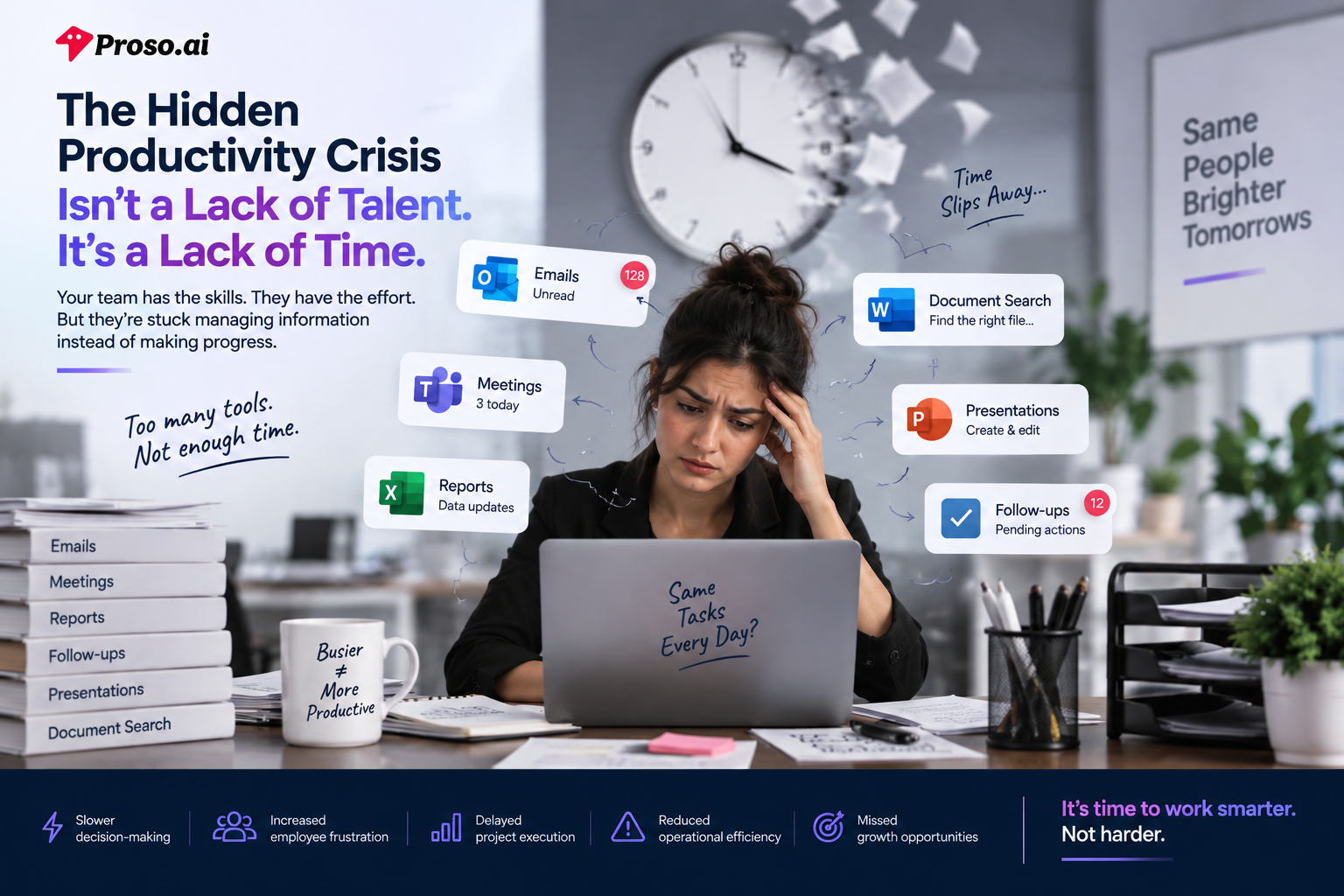
For many small and mid-sized businesses, productivity isn't limited by talent, effort, or ambition.
It's limited by how work gets done.
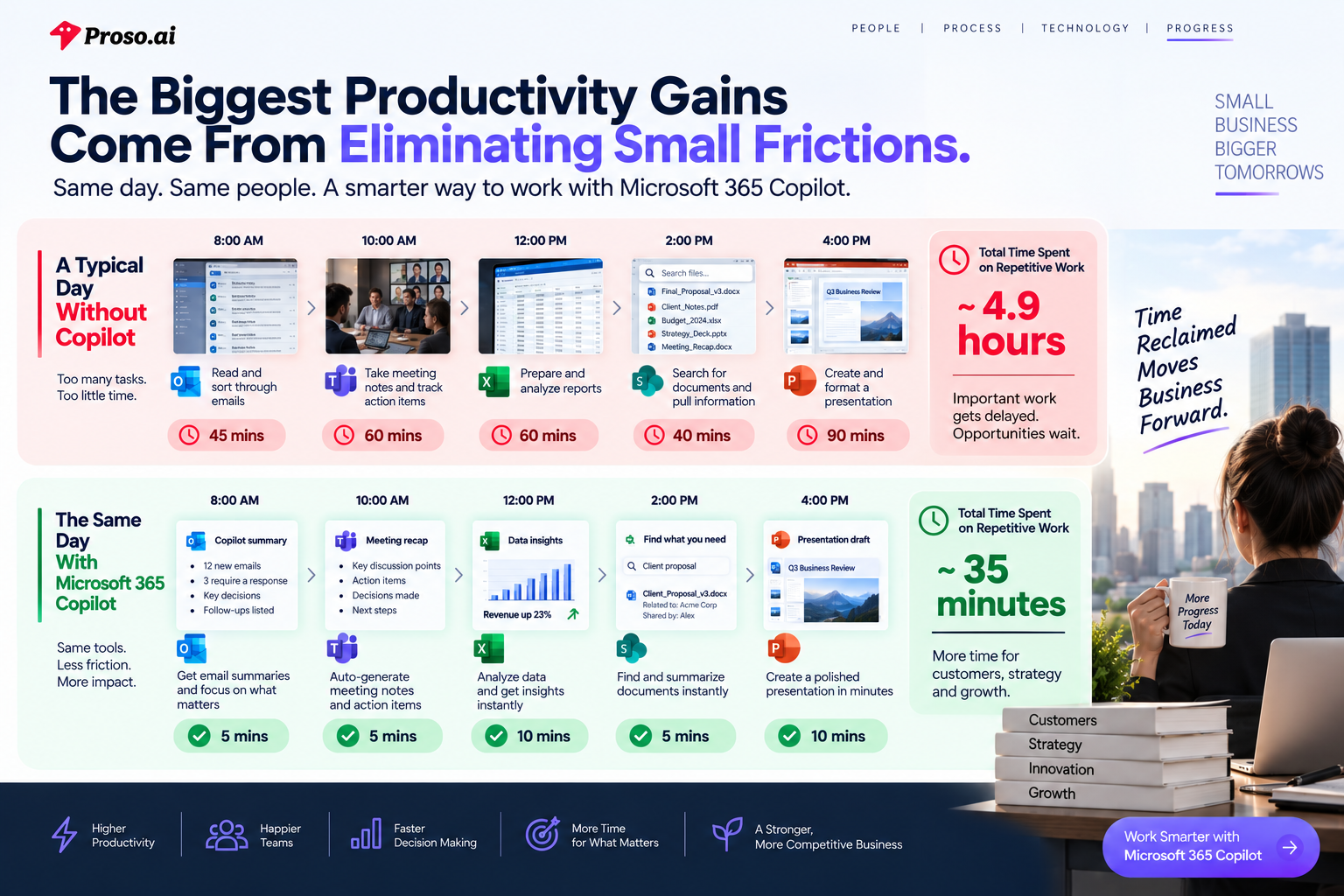
A typical employee starts their day by checking emails, responding to Teams messages, reviewing meeting notes, updating spreadsheets, searching for documents, and preparing reports. Before they've completed a single strategic task, hours have already been spent managing information rather than acting on it.
The problem isn't a lack of tools.
In fact, most SMBs already have access to powerful business applications through Microsoft 365. The challenge is that employees spend too much time navigating work instead of doing work.
A sales manager needs to prepare a client proposal.
To complete one task, they must:
None of these activities directly generate revenue.
Yet together, they can consume several hours.
Now multiply that across every employee, every team, and every week.
The result is a hidden productivity drain that most businesses never measure.
One of the biggest productivity killers in modern workplaces is context switching.
Employees constantly move between:
Every switch requires employees to pause, refocus, and rebuild context.
While each interruption may seem small, the cumulative impact is significant.
Instead of spending their energy solving problems, employees spend their energy finding information.
Over time, this creates:
Slower decision-making
Delayed project execution
Increased employee frustration
Reduced operational efficiency
Missed growth opportunities
For SMBs operating with lean teams, these inefficiencies can have a direct impact on business performance.
When businesses identify productivity challenges, the typical response is to add another tool.
Need note-taking?
Add an AI meeting assistant.
Need content creation?
Add an AI writing platform.
Need reporting?
Add another analytics tool.
Need workflow automation?
Add another application.
Eventually, employees are forced to manage an ecosystem of disconnected platforms, each solving one problem while creating several new ones.
Instead of simplifying work, organizations create a patchwork of applications that increase complexity.
The reality is simple:
Most SMBs don't need more tools.
They need smarter ways to use the tools they already have.
And that's where embedded AI begins to change the conversation.
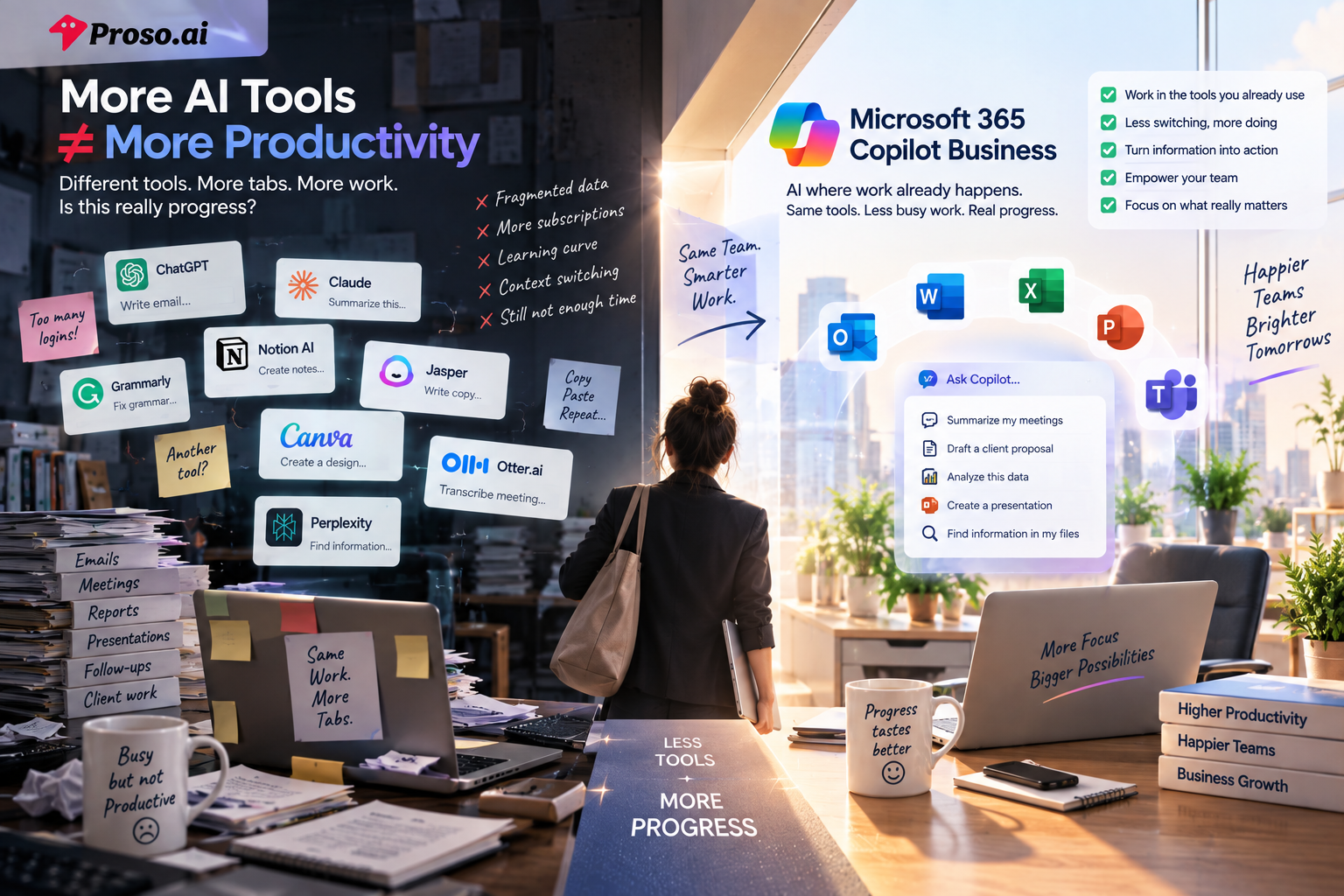
As businesses become increasingly aware of AI's potential, many are rushing to adopt new tools in the hope of improving productivity. A marketing team adds an AI writing assistant. Sales teams experiment with proposal generators. Operations managers introduce AI-powered reporting tools. Before long, organizations find themselves managing an entire collection of AI applications, each designed to solve a specific problem.
At first glance, this approach seems logical. If one AI tool can save time, then multiple AI tools should create even greater efficiency.
In reality, the opposite often happens.
Instead of reducing complexity, businesses create a new layer of it.
Employees are forced to learn new platforms, switch between applications, move information from one system to another, and constantly provide context to different AI tools. The very technology intended to streamline work starts adding friction to the process.
This challenge is especially visible in small and mid-sized businesses, where employees already wear multiple hats. A sales manager might spend their morning responding to customer emails, reviewing spreadsheets, preparing presentations, and attending meetings. Adding several disconnected AI platforms into that workflow doesn't necessarily make the day easier. It simply introduces more places where information lives.
The result is something many organizations are beginning to experience: AI fatigue.
Teams spend more time managing tools than benefiting from them.
The problem isn't that AI lacks value. The problem is that most AI solutions exist outside the flow of everyday work.
Think about where employees actually spend their time. They aren't spending eight hours a day inside standalone AI applications. They're working inside Outlook, collaborating through Teams, building reports in Excel, creating documents in Word, and presenting ideas through PowerPoint.
These applications already contain the conversations, files, data, and business knowledge employees need to do their jobs effectively.
When AI sits outside that ecosystem, employees must constantly bridge the gap themselves. They copy meeting notes into an AI tool for summarization. They export spreadsheets for analysis. They upload documents to generate content. Every step adds another interruption to the workflow.
And interruptions are expensive.
For growing businesses, productivity isn't lost because employees aren't working hard enough. It's lost because valuable time disappears between applications, systems, and tasks.
This is why the conversation around workplace AI is beginning to change.
Business leaders are no longer asking, "Which AI tool should we add next?"
Instead, they're asking a much more important question:
What if AI could work directly inside the tools our employees already use every day?
That shift in thinking is exactly what makes Microsoft 365 Copilot Business different.
Instead of becoming another destination for work, it brings AI directly into the applications where work is already happening.
And that changes everything.
Most AI tools are designed to help you complete individual tasks.
They can write an email, summarize a document, analyze data, or answer a question. While these capabilities are useful, they often require employees to stop what they're doing, switch platforms, and manually provide the information needed to generate an output.
The process looks something like this:
Find information → Copy information → Open AI tool → Add context → Generate output → Return to work.
When this happens dozens of times a day across an organization, the productivity gains become smaller than expected.
Microsoft 365 Copilot Business approaches AI from a different perspective.
Instead of creating another destination for work, it embeds intelligence directly into the tools employees already use throughout their day.
That distinction may sound subtle, but its impact is significant.
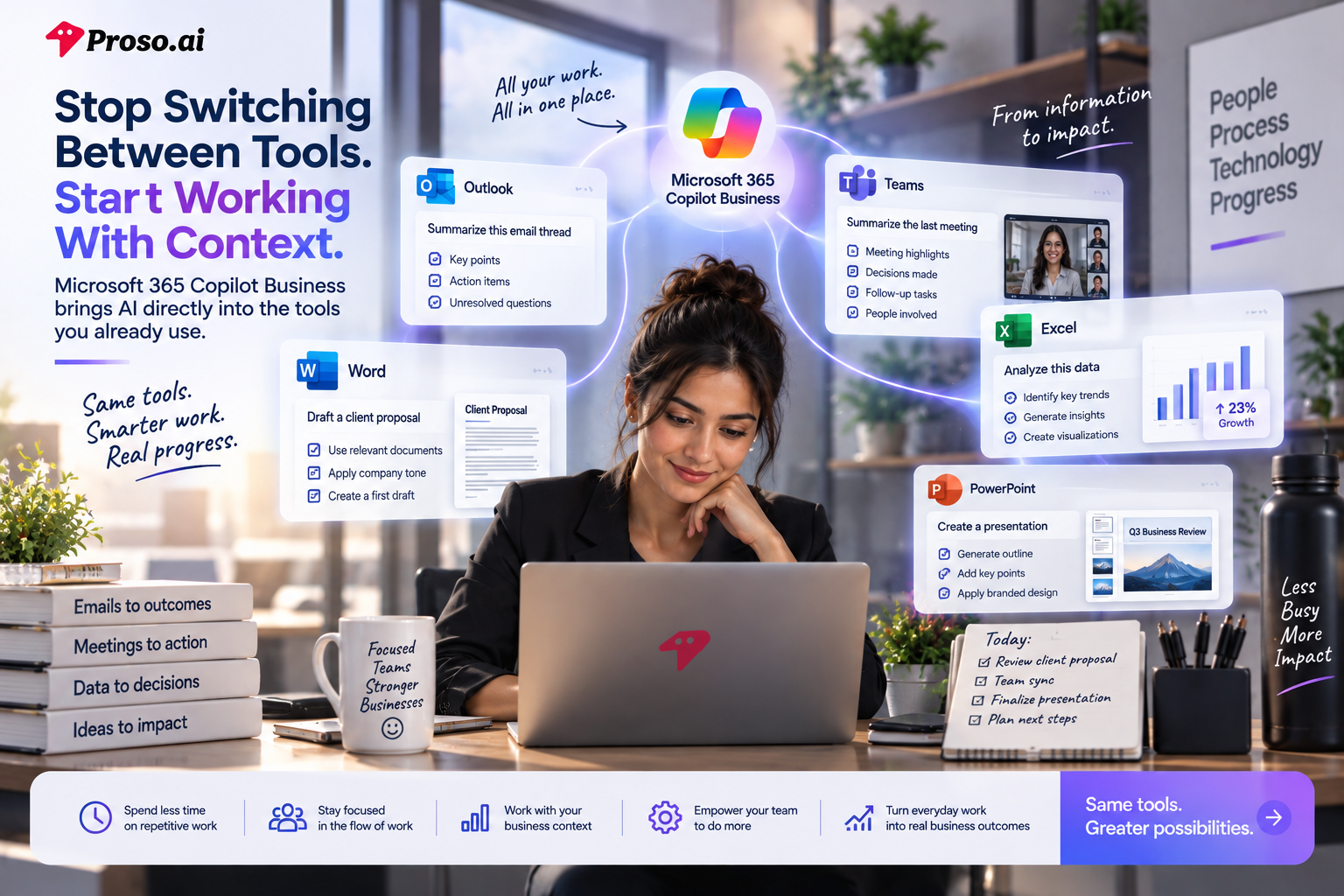
Imagine receiving a lengthy email thread in Outlook and instantly getting a summary of key decisions, action items, and unresolved questions without leaving your inbox. Or joining a Teams meeting knowing that notes, follow-ups, and discussion highlights will be captured automatically.
The same experience extends across Word, Excel, PowerPoint, and other Microsoft 365 applications.
Rather than acting as a separate assistant that employees must visit, Copilot becomes part of the workflow itself.
This means employees spend less time searching for information, recreating context, and managing administrative tasks.
Instead, they can stay focused on the work that actually drives business outcomes.
What makes this even more powerful is the fact that Copilot understands the environment in which your business operates.
Unlike generic AI tools that only respond to prompts, Microsoft 365 Copilot can work with information employees already have access to across emails, meetings, documents, calendars, and collaboration platforms.
This creates a more contextual and relevant experience.
For example, a sales manager preparing for a client meeting doesn't need to gather information from five different sources. Copilot can surface recent conversations, meeting notes, proposals, and related documents within the Microsoft ecosystem.
Similarly, a business leader reviewing operational performance can analyze data, generate summaries, and create presentations without moving information between multiple platforms.
The result isn't simply faster task completion.
It's reduced friction across the entire workday.
For small and mid-sized businesses, this distinction matters.
Most SMBs don't have large operations teams dedicated to managing workflows and productivity systems. Every employee is expected to contribute across multiple responsibilities, and every hour recovered from repetitive work can be redirected toward customers, innovation, and growth.
That's why the value of Microsoft 365 Copilot Business isn't just AI.
It's the ability to turn the tools your employees already use into a connected, intelligent workplace.
And when intelligence becomes part of the workflow rather than another tool to manage, productivity starts to scale naturally.
For most small and mid-sized businesses, productivity challenges don't come from one major bottleneck.
They come from hundreds of small tasks that consume time throughout the day.
An employee spends ten minutes searching for a document. A manager spends twenty minutes preparing for a meeting. A sales representative spends thirty minutes drafting a proposal from scratch. Individually, these tasks may seem insignificant. Collectively, they can consume hours every week.
This is where Microsoft 365 Copilot Business begins to create measurable impact.
Rather than helping employees complete one isolated task faster, it helps eliminate the small inefficiencies that quietly accumulate throughout the workday.
Consider something as simple as email management.
Many business leaders start their mornings by reviewing lengthy email chains, identifying decisions that have already been made, and determining which actions require attention. This process is repetitive, yet it consumes valuable time every day.
With Copilot integrated into Outlook, employees can quickly understand the context of a conversation, identify key takeaways, and focus on what needs action rather than reading through every message.
The same principle applies to meetings.
For many organizations, a one-hour meeting often becomes a two-hour commitment once note-taking, follow-up emails, action-item tracking, and status updates are included.
By automatically capturing discussions, decisions, and next steps within Teams, Copilot reduces the administrative work that usually follows every meeting.
The value extends beyond communication.
When employees need to analyze business data, they often spend more time preparing reports than understanding the insights hidden within them. Managers export spreadsheets, create charts, and manually compile information before they can make decisions.
Copilot helps simplify this process by making it easier to analyze trends, identify patterns, and generate meaningful summaries directly within Excel.
The result is faster decision-making and less time spent preparing information.
Even content creation becomes more efficient.
Whether it's a sales proposal, client presentation, internal report, or business plan, employees frequently start with a blank page. Gathering information, organizing thoughts, and creating a first draft can consume hours.
By working within Word and PowerPoint, Copilot helps teams transform existing information into polished business content more quickly, allowing employees to spend less time creating documents and more time refining ideas.
What's important to understand is that none of these productivity gains come from replacing employees.
They come from reducing the repetitive administrative work that prevents employees from focusing on strategic, customer-facing, and revenue-generating activities.
For SMBs operating with lean teams, that distinction matters.
Every hour recovered can be reinvested into growth.
Every repetitive task automated creates more capacity for innovation.
And every productivity improvement compounds across the organization.
The real value of Microsoft 365 Copilot Business isn't that it helps employees work faster.
It's that it helps them spend more time on the work that actually matters.
For many business leaders, the biggest question surrounding AI isn't whether it can improve productivity.
It's whether it can do so without putting sensitive business information at risk.
And that's a valid concern.
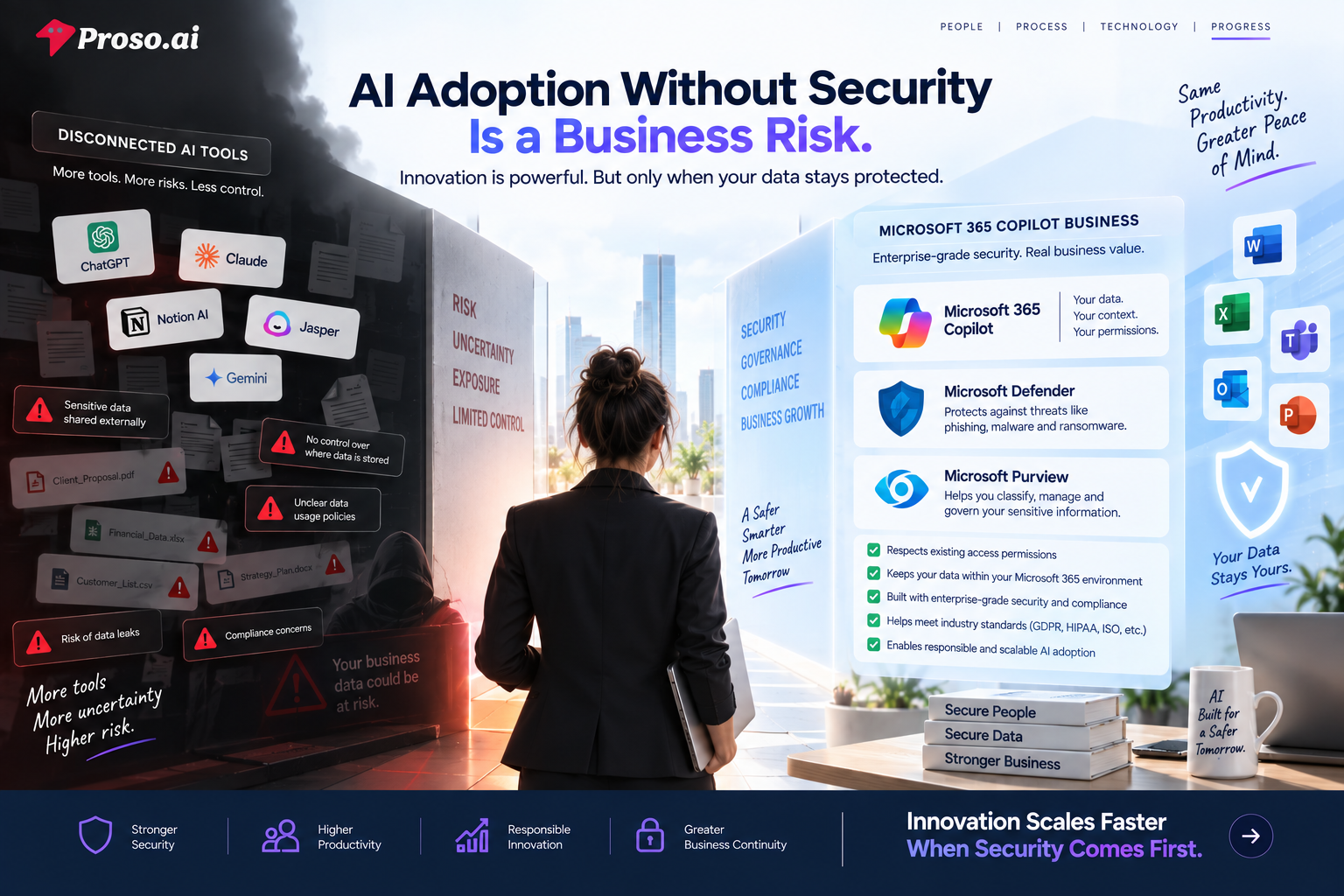
Over the past few years, organizations have rapidly experimented with public AI tools to write content, summarize information, analyze data, and automate repetitive tasks. While these tools offer impressive capabilities, they often create uncertainty around where business data is stored, how it's processed, and who can access it.
For small and mid-sized businesses, these concerns can be even more significant.
A growing company may not have a dedicated security team or extensive governance frameworks in place. Yet it still manages sensitive information every day—from customer records and financial data to employee information, contracts, proposals, and strategic plans.
The challenge isn't simply adopting AI.
It's adopting AI responsibly.
When employees use disconnected AI applications, information often has to be manually copied, uploaded, or shared across external platforms. Every additional touchpoint introduces potential risks and creates new questions around compliance, access control, and data governance.
This is where Microsoft's approach differs significantly from many standalone AI solutions.
Rather than operating outside the organization's environment, Microsoft 365 Copilot works within the security boundaries that businesses have already established across Microsoft 365.
In simple terms, Copilot doesn't suddenly give employees access to information they shouldn't see.
It respects existing permissions.
If an employee doesn't have access to a file, document, conversation, or record, Copilot won't surface it either.
This creates an important layer of trust for organizations looking to scale AI adoption without compromising security.
Beyond access controls, Microsoft has invested heavily in helping businesses protect and govern their information through solutions such as Microsoft Defender and Microsoft Purview.
Think of these as the foundation that supports secure AI adoption.
While Copilot helps employees work smarter, Defender helps protect against threats such as phishing, malware, and ransomware. At the same time, Purview helps organizations classify, manage, and govern sensitive information across their environment.
Together, these solutions create a framework where productivity and security can coexist.
Because in reality, businesses shouldn't have to choose between innovation and protection.
They need both.
For SMBs, this is particularly important as AI becomes increasingly embedded into everyday operations.
The goal isn't simply to automate tasks faster.
It's to build an intelligent workplace where employees can confidently access information, collaborate effectively, and make decisions without creating unnecessary risk.
The organizations that succeed with AI won't be the ones that adopt it the fastest.
They'll be the ones that adopt it strategically, with the right balance of productivity, governance, and security.
And that's where long-term business value is created.
For most businesses today, AI is primarily used as an assistant. Employees ask questions. AI provides answers. Employees request summaries. AI generates summaries. Employees create content. AI helps draft it. While these capabilities can significantly improve productivity, they still depend on one thing:
Human initiation.
The employee remains responsible for starting the task, managing the process, and ensuring the work moves forward.
But what happens when AI moves beyond assistance and begins actively participating in business operations?
This is the shift that many organizations are starting to explore through AI agents.
Unlike traditional AI tools that respond to prompts, AI agents are designed to execute workflows, complete tasks, and support business processes with minimal human intervention.
Instead of simply helping employees work faster, they help organizations automate entire operational activities.
For small and mid-sized businesses, this could fundamentally change how work gets done.
Consider a common employee onboarding process.
Without automation, onboarding typically involves multiple departments, email exchanges, approvals, documentation requests, account provisioning, training schedules, and follow-up communications.
Each step requires coordination, manual effort, and continuous tracking.
Now imagine an AI agent managing much of that workflow automatically.
When a new employee is added to the system, the agent initiates onboarding tasks, sends documentation requests, schedules required meetings, provisions access, and tracks completion status.
Instead of employees managing the process, the process largely manages itself.
The same concept applies across countless business functions.
A sales team could use AI agents to prepare account summaries before client meetings.
Customer service teams could automate responses to common requests and route complex cases to the appropriate specialists.
Operations teams could monitor business processes and proactively identify bottlenecks before they impact performance.
Finance departments could streamline approvals, track compliance requirements, and assist with reporting workflows.
In each case, the objective remains the same:
Reduce repetitive operational work so employees can focus on higher-value activities.
This is why many business leaders view AI agents as the next major phase of workplace transformation.
The first wave of AI helped employees become more productive.
The next wave is helping organizations become more autonomous.
For SMBs operating with lean teams and limited resources, this creates an opportunity that was previously reserved for large enterprises with dedicated automation teams and significant technology budgets.
Today, capabilities that once required complex development projects are becoming increasingly accessible through platforms like Microsoft Copilot Studio and the broader Microsoft ecosystem.
Organizations no longer need to ask:
"How can we work harder?"
They can begin asking:
"Which processes should no longer require manual effort at all?"
That change in mindset is where true operational scalability begins.
Of course, implementing AI agents successfully requires more than technology.
Businesses need to identify the right processes, establish governance, ensure integration with existing systems, and create a roadmap that aligns automation initiatives with business objectives.
Because the goal isn't automation for the sake of automation.
It's creating measurable business outcomes.
And that's where having the right implementation strategy becomes critical.
By now, the value of AI is no longer up for debate.
Business leaders understand that AI can improve productivity, reduce repetitive work, strengthen decision-making, and unlock new opportunities for growth. The challenge facing most organizations today isn't whether they should adopt AI—it's how to adopt it successfully.
This is where many businesses encounter their biggest obstacle.
Implementing Microsoft 365 Copilot Business is relatively straightforward. Transforming the way people work is not.
Organizations often invest in new technologies with high expectations, only to discover that employees continue following familiar processes, workflows remain fragmented, and adoption never reaches the level required to generate meaningful business value. The technology exists, but the operational transformation never fully happens.
The reality is that AI success depends on far more than software licenses.
To create measurable results, businesses must first understand where productivity is being lost, which processes create the greatest operational friction, and where automation can have the most significant impact. They must ensure that AI aligns with existing business objectives, integrates seamlessly with current systems, and operates within appropriate security and governance frameworks.
Without this foundation, even the most advanced AI capabilities can struggle to deliver their full potential.
This is why successful organizations approach AI as a business transformation initiative rather than a technology project.
They focus on outcomes before tools.
They identify high-impact use cases before deployment.
And they build a roadmap that connects technology investments directly to business goals.
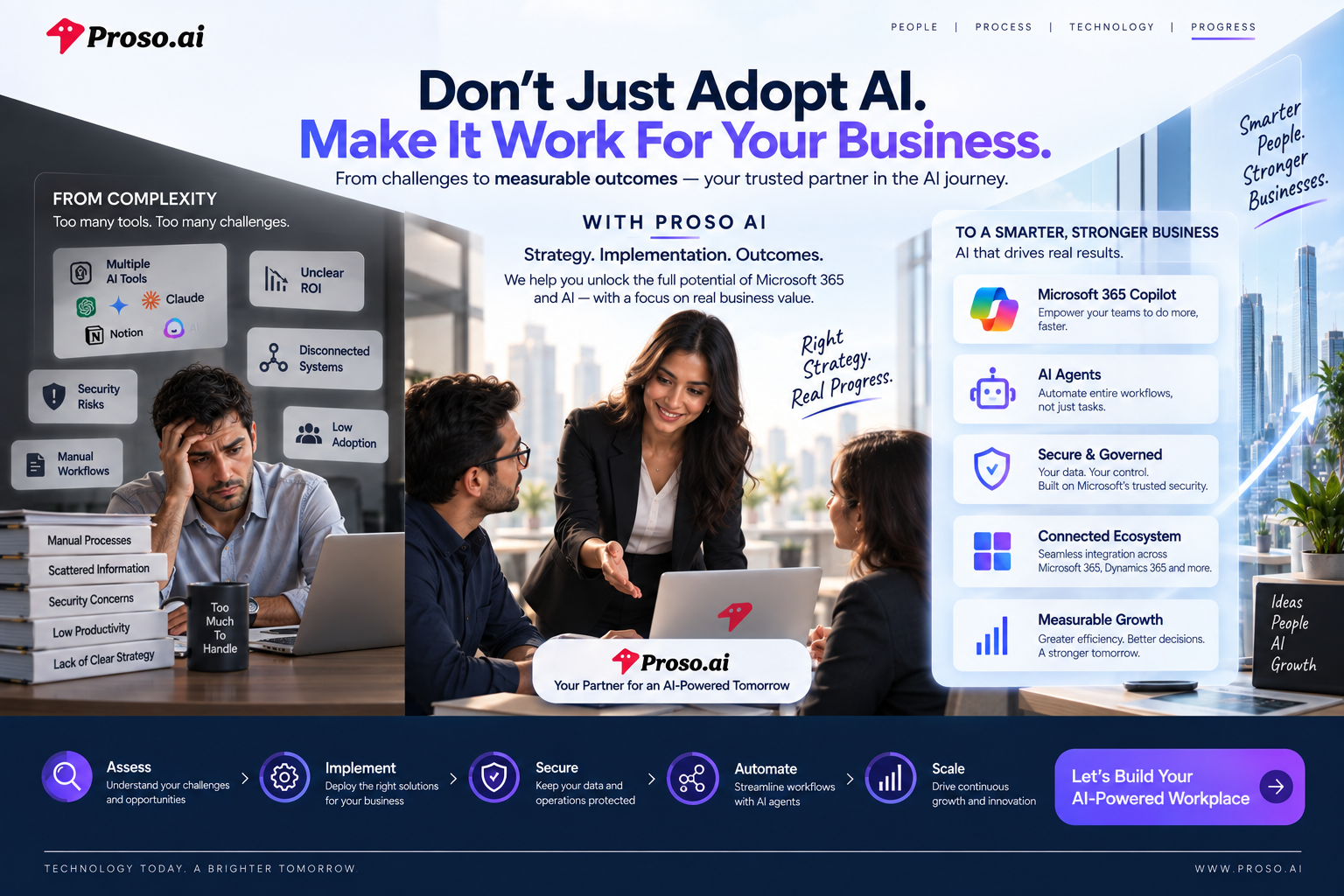
At Proso AI, this is the approach we bring to every engagement.
Rather than simply implementing technology, we work closely with organizations to understand how their teams operate, where inefficiencies exist, and how Microsoft technologies can be leveraged to create lasting business value. Whether the objective is improving productivity through Microsoft 365 Copilot, strengthening governance and security, automating workflows through AI agents, or integrating business applications across the Microsoft ecosystem, our focus remains firmly on outcomes.
We help businesses move beyond experimentation and create a practical path toward adoption, optimization, and scale.
Because the true value of AI isn't found in the technology itself.
It's found in faster decisions, more productive employees, streamlined operations, stronger customer experiences, and a business that can grow without increasing complexity.
Microsoft 365 Copilot Business provides the foundation for this transformation. The organizations that realize the greatest return, however, are those that combine powerful technology with a clear strategy, strong governance, and expert execution.
That's where Proso AI becomes a strategic partner.
By helping organizations connect people, processes, and technology, we ensure that AI becomes more than another tool in the workplace—it becomes a driver of measurable business outcomes.
The future of work is already taking shape. The businesses that thrive will be those that move beyond simply adopting AI and focus instead on integrating it into the way they operate, collaborate, and grow.
.jpg)

.png)
.png)