Home
Dynamics
Dynamics 365 Project Operations + AI: From Project Data to Predictable Profitability

Dynamics 365 Project Operations + AI: From Project Data to Predictable Profitability

Dynamics 365 Project Operations + AI: From Project Data to Predictable Profitability

See how AI in Dynamics 365 Project Operations spots margin leaks early, sharpens forecasts and prices bids on delivery evidence.
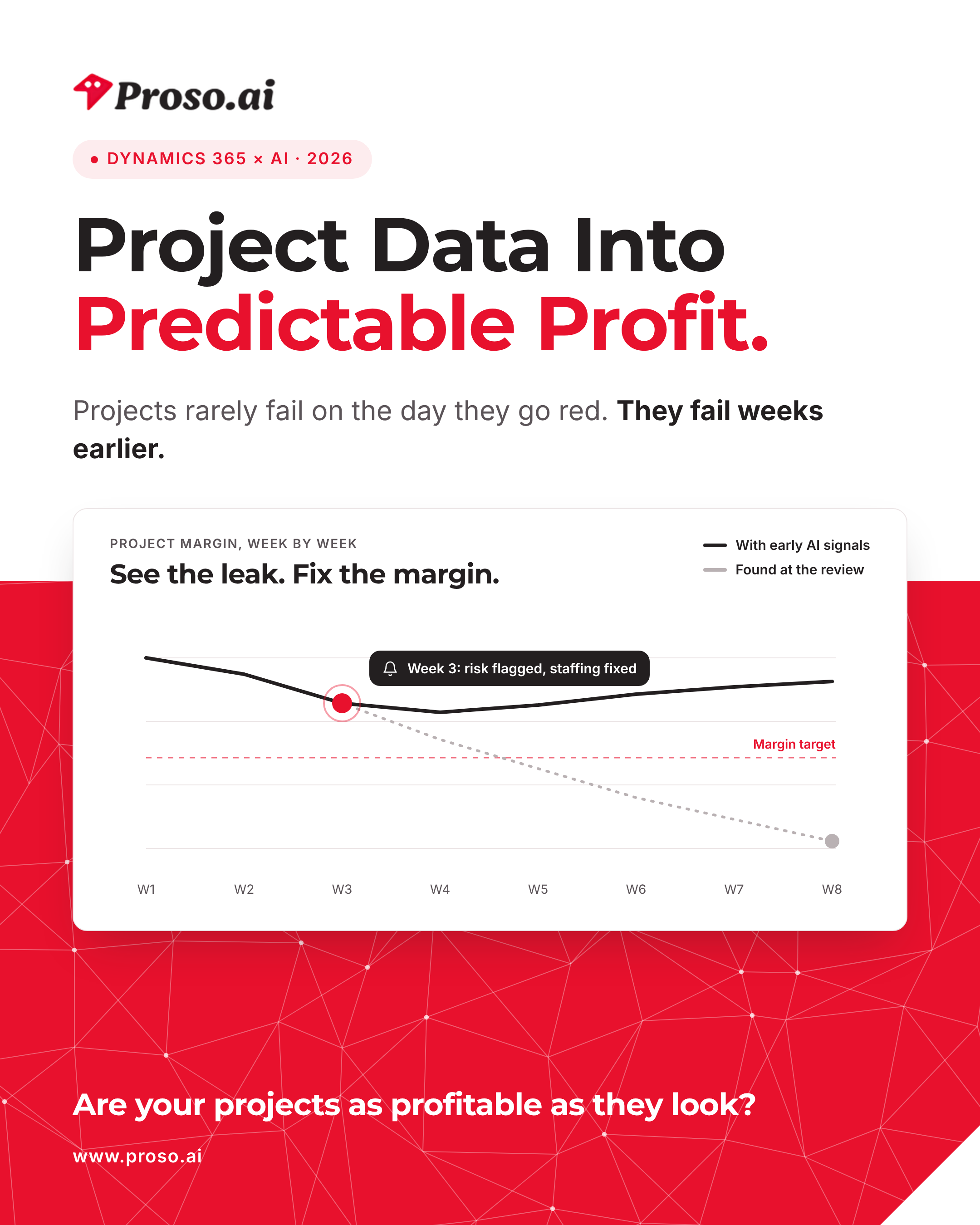
“Projects don’t fail on the day they go red. They fail weeks earlier, quietly.”

For project-based businesses, the P&L is written one project at a time. Yet most firms only discover margin problems at the monthly review, after the write-offs are booked and the best options have expired.

In 2026, AI in Dynamics 365 Project Operations changes that timeline. The warning signs were always in the data: hours logged, budget burn, change requests and billing lag. Copilot for project, combined with the right analytics layer, brings them to the surface while there is still time to act.

For most firms, this isn’t a delivery problem. It’s a visibility problem.
In this blog, you’ll learn:

  • Why project margin leaks stay invisible until it’s too late
  • What AI-driven project intelligence actually means
  • What Copilot in Project Operations does out of the box, and what you add on top
  • Three real scenarios where AI protects and grows margin
  • A practical 90-day path to get started, and how Proso AI helps

Why Project Profitability Slips Away

1. Margin Leaks Hide in Plain Sight

  • Small overruns and unbilled changes add up quietly
  • Write-offs appear at completion, not during delivery
  • By the time the margin shows red, the money is already gone

2. Resourcing Is Still Guesswork

  • The right people land on the wrong projects
  • Bench time and overload happen in the same week
  • Escalations replace planning

3. Forecasts Drift Week by Week

  • Estimates at completion rely on optimism and spreadsheets
  • Status meetings debate opinions instead of signals

Everyone is busy, and nobody is surprised until they are.

4. Bids Are Priced on Instinct, Not Evidence

  • Historical delivery data sits where nobody looks
  • Healthy win rates hide the jobs that quietly lost money
  • Growth dilutes margin instead of building it

What Does “AI-Driven Project Intelligence” Really Mean?

AI-driven project intelligence is when your project system turns everyday delivery data (time, cost, billing and change) into early warnings, reliable forecasts and pricing evidence.

Instead of teams assembling status reports from spreadsheets, the platform:

  • predicts which projects are likely to breach margin, and when
  • alerts the right people while options still exist
  • explains the drivers behind the number, not just the number
  • prices the next bid using evidence from the last delivery

In short: project intelligence replaces hindsight with foresight.

What Copilot in Project Operations Does Out of the Box

Microsoft has built generative AI directly into Dynamics 365 Project Operations through Copilot for project. It works on the data already in your system, and it gives project managers a head start on four everyday tasks:

  • Task plans: describe the project and Copilot drafts a work breakdown structure your team can refine.
  • Risk assessment: Copilot reviews the project, records risks and issues in the project’s risk register, and suggests a mitigation for each. It can run on a regular schedule.
  • Status reports: internal or external reports drafted from the schedule and financial data in the system, ready for the project manager to edit.
  • Chat: ask questions about your projects in plain English.

One requirement matters more than any feature: Copilot needs actuals. Time, expense and material entries must be logged before it can produce risk assessments and status reports. Clean, timely data is the foundation for everything else in this blog. You can find the full feature list in Microsoft’s Copilot for project documentation.
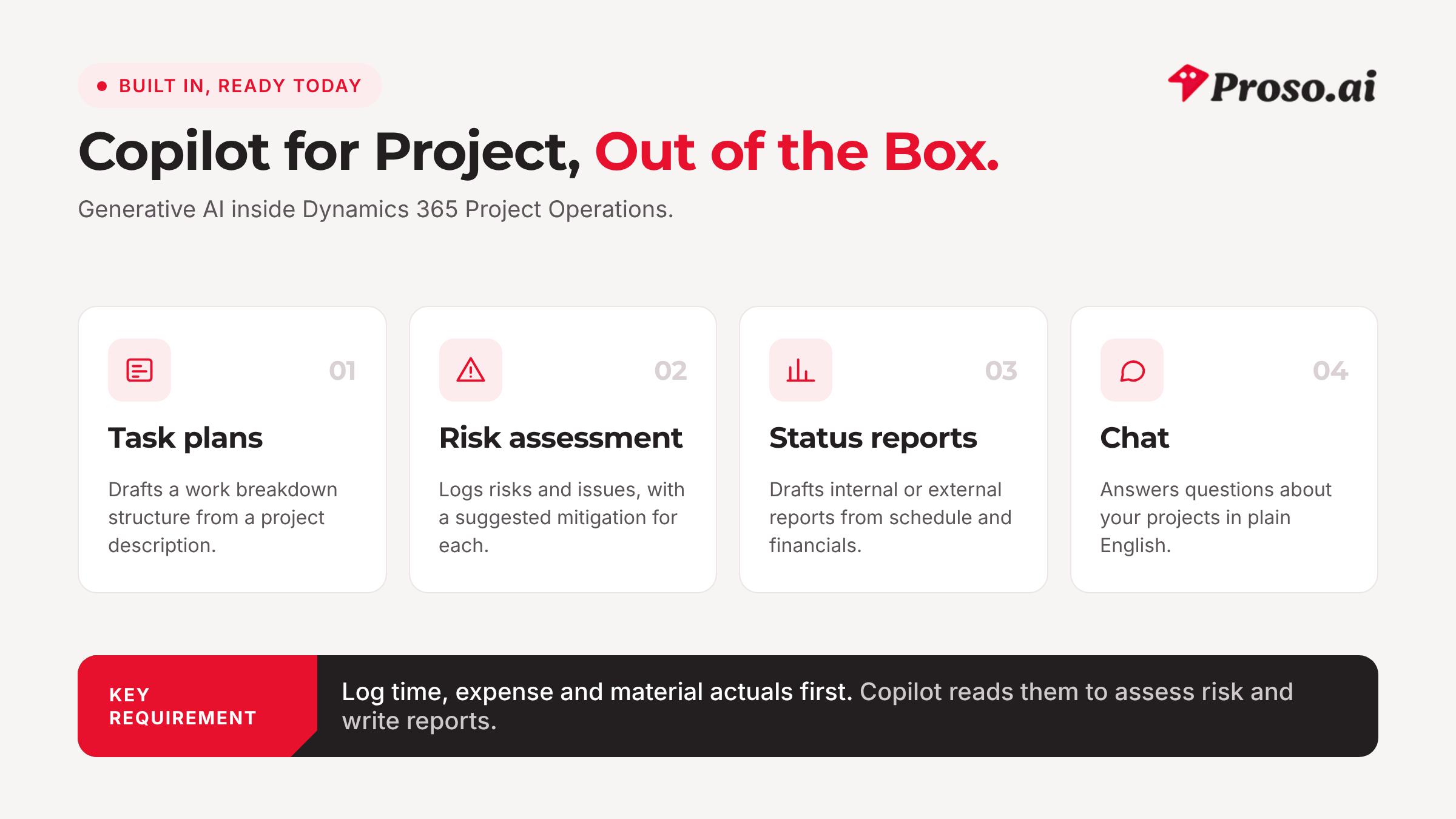
Copilot for project: four AI features built into Dynamics 365 Project Operations.

Going Further: Five Capabilities That Change the Numbers

Copilot helps each project manager. To protect margin across a whole portfolio, most firms add an analytics layer on the same Project Operations data, using tools such as Power BI and Azure Machine Learning. These five capabilities are where that investment pays back.

1. Predictive Margin Analytics

Models track burn, schedule and billing patterns to forecast each project’s margin continuously, flagging breach risk while there is still time to respond.

Business value: Managers step in while the fix is still cheap.

2. Resourcing Intelligence

Skills, availability, cost and demand signals come together to put the right people on the right work, with a forward view of bench time and overload.

Business value: Utilisation rises without burning out the people who deliver.

3. Forecast Guardrails (EAC and Trend Signals)

Estimate-at-completion trends highlight drift automatically, and scenarios show the effect of a corrective action before anyone commits to it.

Business value: Forecasts become commitments the business can trust.

4. Bid and Quote Intelligence

Historical delivery performance, including effort accuracy, change rates and realised margin, informs the next estimate and the right price.

Business value: You win the work that makes money, and price in the risk on the work that might not.

5. Automated Revenue and WIP Signals

Revenue recognition, milestone billing and work-in-progress health are monitored continuously, so finance and delivery work from the same numbers. For full project accounting, many firms run Project Operations together with Dynamics 365 Finance.

Business value: No month-end surprises in the project P&L.
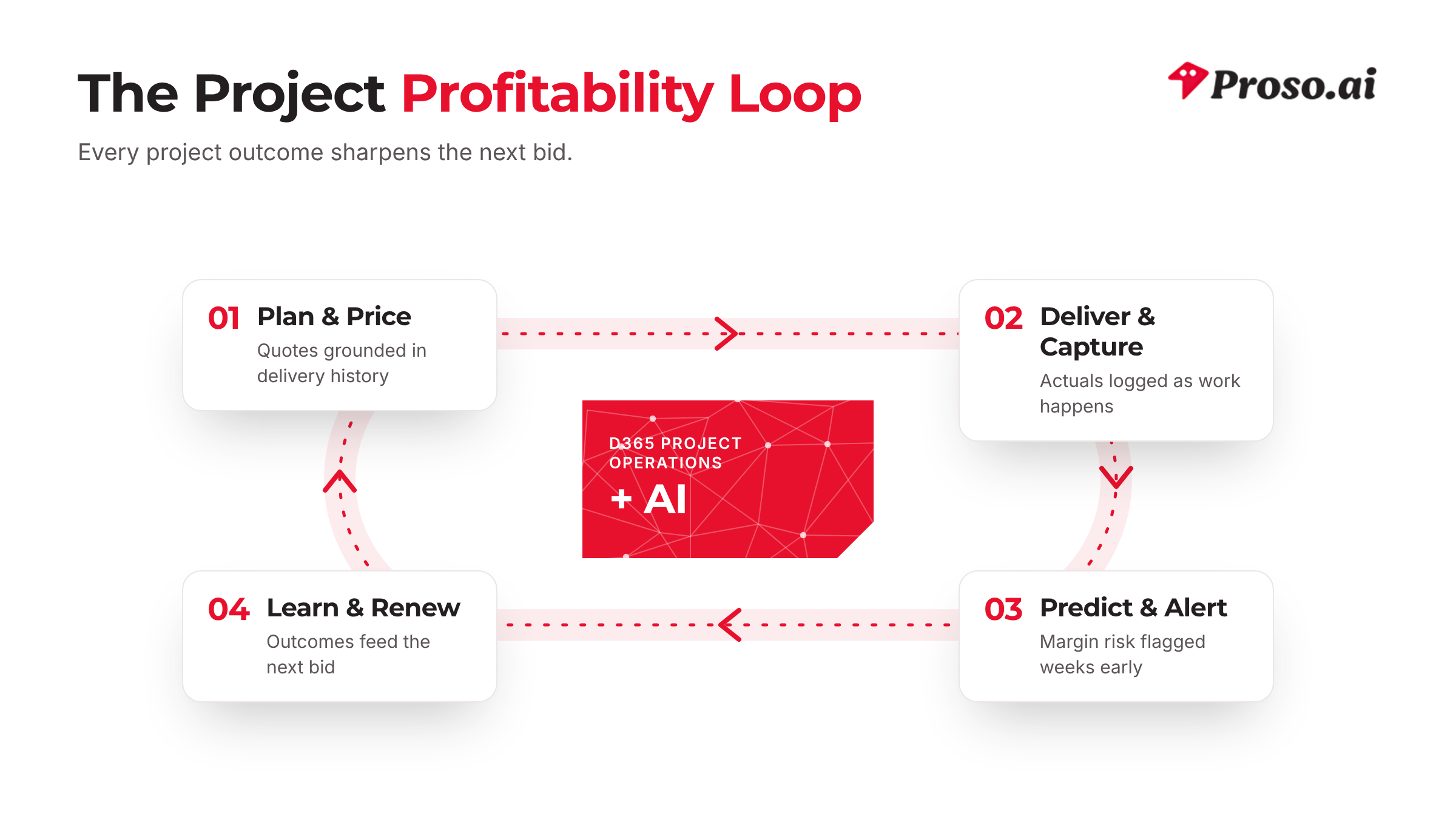
The project profitability loop: every outcome sharpens the next bid.

Real Scenarios: Where AI Changes the Outcome

Scenario 1: The Margin Rescue

Before:

  • Overruns surface at the monthly review
  • Write-offs are booked before anyone sees them coming

With AI signals:

  • Breach risk is flagged in week three, with the drivers named
  • Staffing and scope are corrected while options still exist

Result: Margin is protected before it is lost, and the pattern informs the next bid.

Scenario 2: Resourcing Without the Fire Drill

Before:

  • Staffing escalations replace forward planning
  • Bench time and overload coexist across the portfolio

With AI signals:

  • Demand and availability line up weeks ahead
  • Managers see cost, skills and fit in one view

Result: Higher utilisation, fewer escalations and delivery teams that stay.

Scenario 3: The Bid That Prices Itself

Before:

  • Estimates lean on the last big win, not on delivery history
  • Risk is priced by instinct, or not at all

With AI signals:

  • Effort accuracy and change rates from similar work inform the estimate
  • Margin scenarios price the risk explicitly

Result: Win rates hold, and the work you win actually makes money.

What to Measure: Where the Numbers Move

Don’t judge project AI by the number of dashboards it adds. Judge it by four numbers:

  • Warning time: how many weeks before the review margin risk is flagged
  • Margin protected: margin recovered on projects that were flagged at risk
  • Re-forecast time: hours to update forecasts, instead of days in spreadsheets
  • Bid accuracy: estimated versus actual effort on newly won work

Record a baseline for each before you start. That way you can prove the value on your own portfolio, not on someone else’s case study.
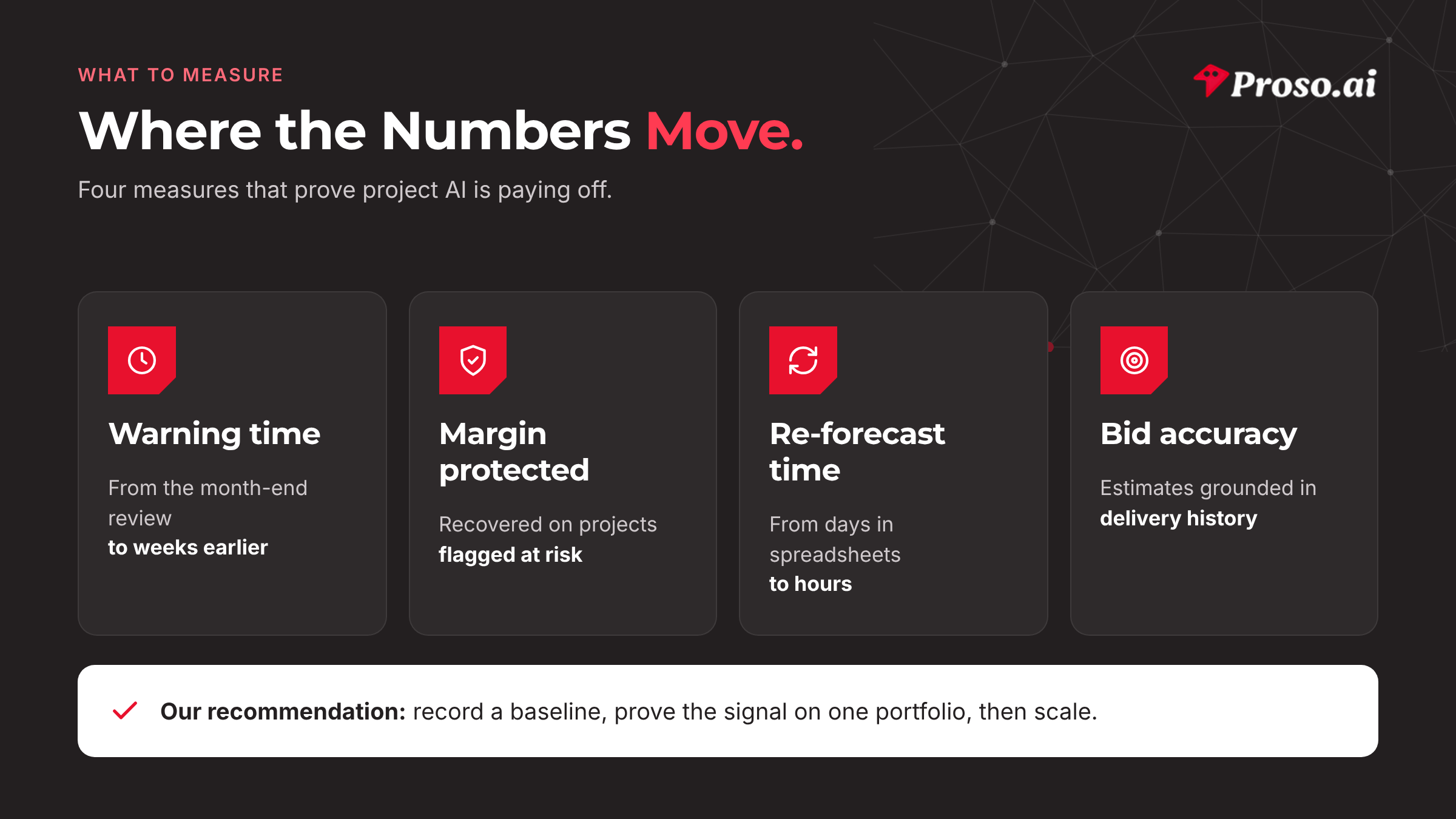
What to measure: four numbers that prove project AI is paying off.

How to Get Started: A Practical 90-Day Path

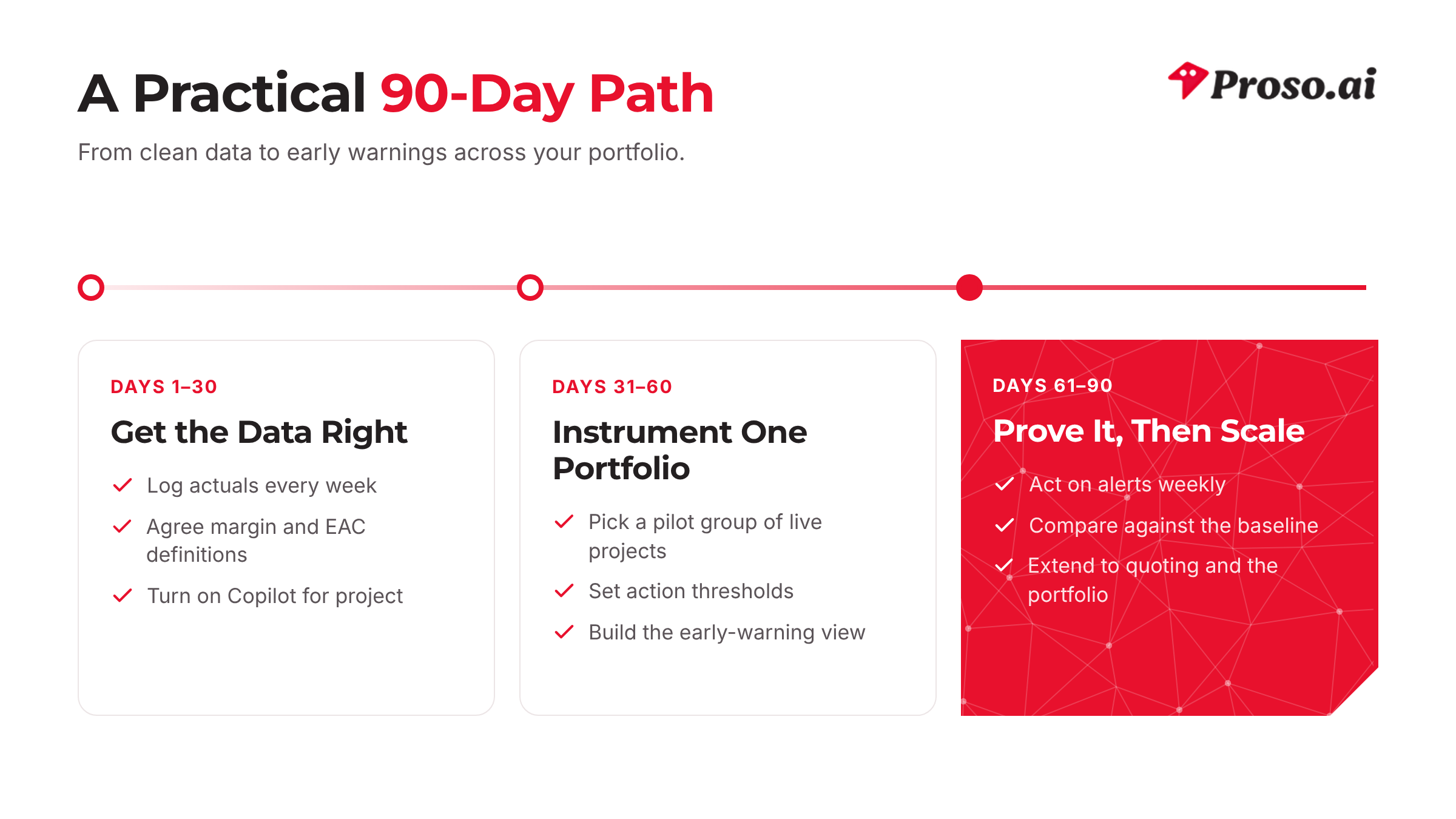
Days 1–30: Get the Data Right

  • Make sure time, expense and material actuals are logged every week
  • Agree on shared definitions of margin, estimate at completion and change
  • Turn on Copilot for project and train project managers to use it

Days 31–60: Instrument One Portfolio

  • Choose a pilot group of live projects with real margin exposure
  • Set the margin and forecast thresholds that should trigger action
  • Build the early-warning view managers will review each week

Days 61–90: Prove It, Then Scale

  • Act on alerts in the weekly delivery meeting, not just at month end
  • Compare results against your baseline
  • Extend to quoting and the rest of the portfolio
A practical 90-day path from clean data to portfolio-wide early warnings.

How Proso AI Helps Firms Turn Project Data into Profit

Insight alone doesn’t protect margin. Timely action does.

As a Microsoft Solutions Partner with deep Dynamics 365 Project Operations expertise, we help project-based businesses put AI to work on the numbers that matter. We:

  • set up projects so the data AI needs is captured cleanly,
  • define margin and forecast thresholds that trigger real interventions,
  • connect delivery, resourcing and finance data into one source of truth,
  • build early-warning views into the meetings managers already run,
  • help teams act on insight, and scale what works across the portfolio.

What clients gain:

  • early warning on every project, well before the review,
  • forecasts grounded in evidence, not optimism,
  • bids priced on delivery history, not instinct,
  • and a project P&L that behaves predictably.

Our recommendation: Start with one portfolio. Prove the early-warning signal on live projects, then scale across your entire services P&L.

Looking Ahead: Why Foresight Is the Margin Strategy

As project businesses move through 2026 and into 2027:

  • clients will expect more speed and transparency,
  • talent markets will keep rewarding the firms that plan well,
  • and competitors with early warning will simply out-deliver the rest.

Project profitability is no longer something you discover at the review. It is a daily signal, and Dynamics 365 Project Operations, working with AI, is how leading firms read it.

Frequently Asked Questions

Does Dynamics 365 Project Operations include AI out of the box?

Yes. Copilot for project can draft task plans, assess risks with suggested mitigations, generate status reports and answer questions in plain English. Portfolio-level capabilities such as predictive margin and bid intelligence are usually added on top with tools like Power BI and Azure Machine Learning.

What data does AI need to work well?

Logged actuals come first: time, expenses and materials. After that, consistent project structures, budgets, change requests and billing milestones make forecasts and alerts far more reliable.

Do we need Dynamics 365 Finance as well?

Not to use Copilot for project. For full project accounting and revenue recognition, many firms run Project Operations together with Dynamics 365 Finance.

How quickly will we see early-warning signals?

Most firms start with a pilot portfolio and review the first signals within a few reporting cycles. The biggest factor is how consistently actuals are logged.

Will AI replace our project managers?

No. Copilot drafts plans, risks and reports, and project managers review, edit and decide. The aim is to give your best people more time for the decisions that protect margin.

Final Thoughts

If your projects keep surprising you:

  • margins turn red without warning,
  • forecasts drift while everyone is busy,
  • and bids price hope instead of evidence,

then project intelligence is your next step.

AI-driven project intelligence isn’t about more dashboards. It’s about seeing the leak while it’s still small.

At Proso AI, we help firms turn project data into predictable profit.

Related reading:· Oracle OIC in 2026: 7 integration patterns that make AI actually work

Discuss your Dynamics 365 strategy with our experts.

Let’s Talk → www.proso.ai/contact-us

‍

Discuss your technology strategy and secure your future success

Let's Talk
Thank you! Your submission has been received!
Oops! Something went wrong while submitting the form.